
Functions Palette/Programming/Structures/Timed Structures: Difference between revisions
mNo edit summary |
mNo edit summary |
||
| Line 14: | Line 14: | ||
}} | }} | ||
{{TOCright}} | {{TOCright}} | ||
{{LabVIEW Palette Object Information|palette=Functions Palette/Programming/Structures{{!}}Structures palette|type=palette}} | {{LabVIEW Palette Object Information|palette=Functions Palette/Programming/Structures{{!}}Structures palette|type=palette|icon=Functions Palette - Programming - Structures - Timed Structures.png}} | ||
Revision as of 12:39, 25 June 2020
 |
This article is a stub. You can help LabVIEW Wiki by expanding it. Please improve this article if you can. |
| Object information | |
|---|---|
| Owning palette(s) | Structures palette |
| Type | Palette |
| Requires | Basic Development Environment |
| Icon |  |
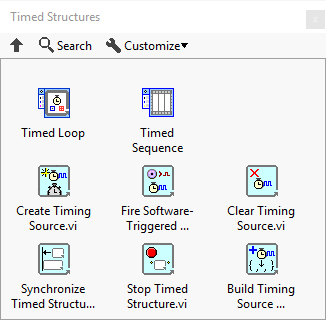
Use the Timed Structures and VIs to control the rate and priority at which a timed structure executes its subdiagram, synchronize the start time of timed structures, create timing sources, and establish a hierarchy of timing sources.
Structures
| Icon | Name |
|---|---|

|
Timed Loop |

|
Timed Sequence |
VIs
| Icon | Name |
|---|---|

|
Create Timing Source |

|
Fire Software-Triggered Timing Source |

|
Clear Timing Source |

|
Synchronize Timed Structure Starts |

|
Stop Timed Structure |

|
Build Timing Source Hierarchy |