
Functions Palette/Programming/Comparison: Difference between revisions
Started page |
mNo edit summary |
||
| Line 44: | Line 44: | ||
! Name | ! Name | ||
|- | |- | ||
! style="text-align: center;" | [[File:Comparison Palette - Assert Type.png|frameless|border|Assert Type|link=Assert Type | ! style="text-align: center;" | [[File:Comparison Palette - Assert Type.png|frameless|border|Assert Type|link=Functions Palette/Programming/Comparison/Assert Type]] | ||
| [[Functions Palette/Programming/Comparison/Assert Type|Assert Type]] | | [[Functions Palette/Programming/Comparison/Assert Type|Assert Type]] | ||
|} | |} | ||
Revision as of 16:08, 21 June 2020
| Object information | |
|---|---|
| Owning palette(s) | Programming palette |
| Type | Palette |
| Requires | Basic Development Environment |
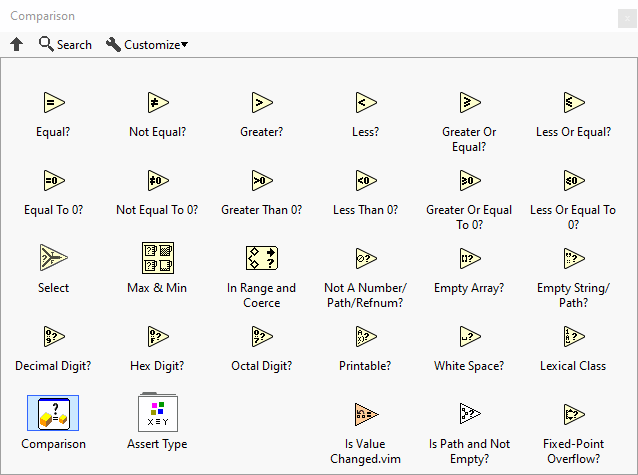
Use the Comparison functions to compare Boolean values, strings, numeric values, arrays, and clusters.
The Comparison functions treat Boolean, string, numeric, array, and cluster values differently. You also can use the Comparison functions to compare characters. You can change the comparison mode of some Comparison functions.
Subpalettes
| Icon | Name |
|---|---|

|
Assert Type |
Functions


History
 |
History information is needed. What changes have occurred over previous versions? |
| Version | Change(s) |
|---|---|

|
More info to come. |