
Functions Palette/Programming/Timing: Difference between revisions
Started page |
mNo edit summary |
||
| Line 2: | Line 2: | ||
|image = Timing Palette.png | |image = Timing Palette.png | ||
|title = Timing palette | |title = Timing palette | ||
|parent = Functions Palette/Programming{{!}}Programming palette | |||
|1 = Tick Count (ms) function{{!}}Tick Count (ms) | |1 = Tick Count (ms) function{{!}}Tick Count (ms) | ||
|2 = High Resolution Relative Seconds function{{!}}High Resolution Relative Seconds | |2 = High Resolution Relative Seconds function{{!}}High Resolution Relative Seconds | ||
Latest revision as of 19:53, 24 June 2020
| Object information | |
|---|---|
| Owning palette(s) | Programming palette |
| Type | Palette |
| Requires | Basic Development Environment |
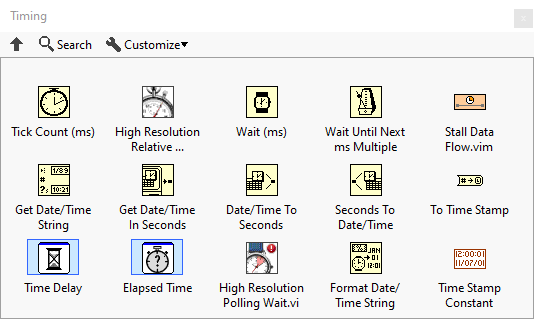
Use the Timing VIs and Functions to manipulate the speed at which an operation executes and to retrieve time and date information from the computer clock.
Functions


History
 |
History information is needed. What changes have occurred over previous versions? |
| Version | Change(s) |
|---|---|

|
More info to come. |