
Palette: Difference between revisions
Adding Customization |
mNo edit summary |
||
| Line 1: | Line 1: | ||
<gallery mode="traditional" perrow="3" caption="Controls Palette Views"> | |||
<gallery mode=" | |||
File:ControlsCategoryView.png|Category (Standard), Controls View | File:ControlsCategoryView.png|Category (Standard), Controls View | ||
File:ControlsCategoryIconAndTextView.png|Category (Icons and Text), Controls View | File:ControlsCategoryIconAndTextView.png|Category (Icons and Text), Controls View | ||
| Line 42: | Line 8: | ||
</gallery> | </gallery> | ||
<gallery mode="traditional" perrow="3" caption="Functions Palette Views"> | |||
<gallery mode=" | |||
File:FunctionsCategoryView.png|Category (Standard), Functions View | File:FunctionsCategoryView.png|Category (Standard), Functions View | ||
File:FunctionsCategoryIconAndTextView.png|Category (Icons and Text), Functions View | File:FunctionsCategoryIconAndTextView.png|Category (Icons and Text), Functions View | ||
Revision as of 21:35, 9 March 2024
- Controls Palette Views
-
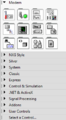 Category (Standard), Controls View
 -
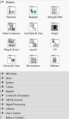 Category (Icons and Text), Controls View
 -
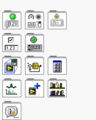 Icons, Controls View
 -
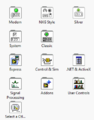 Icons and Text, Controls View
 -
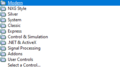 Text, Controls View
 -
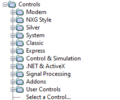 Tree, Controls View


- Functions Palette Views
-
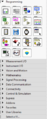 Category (Standard), Functions View
 -
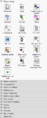 Category (Icons and Text), Functions View
 -
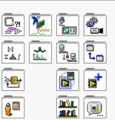 Icons, Functions View
 -
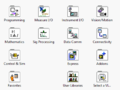 Icons and Text, Functions View
 -
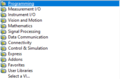 Text, Functions View
 -
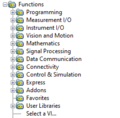 Tree, Functions View


History
| Version | Change(s) |
|---|---|

|
Subpalette style changed from tiled icons to folder-like icons. |

|
Palette organization according to categories (controls and functions). |