| VI Server Property Information
|
| Property ID
|
2D877815
|
| Scope
|
Basic Development Environment
|
| Data Name
|
Material.Color Mode
|
| Short Name*
|
Material.ColorMode
|
| Long Name*
|
Material:Color Mode
|
| * Displayed here in English. Short and Long names appear in the language of the LabVIEW IDE.
|
| Owning Class ID
|
105
|
| Owning Class Name
|
SceneObject Class
|
| Data Type
|
Enum U16 data type

|
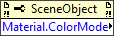
| Property Node
|
|
| Available in Real-Time Operating System | No |
| Available in Run-Time Engine | Yes |
| Loads the block diagram into memory | No |
| Loads the front panel into memory | No |
| Need to authenticate before use | No |
| Permissions | Read/Write |
| Remote access allowed | Yes |
| Settable when the VI is running | Yes |
Reads or writes how the 3D object reacts to light. Materials only appear in lighted scenes.
Values
| 0
|
Inherit Material—The object inherits the color mode of a parent object.
|
| 1
|
Use entire Material—The emissive color of the material and its ambient, diffuse, and specular reflectance values all affect the reaction of the material to a light source.
|
| 2
|
Ignore Ambient—LabVIEW ignores the ambient color and uses the base color of the object in its place.
|
| 3
|
Ignore Diffuse—LabVIEW ignores the diffuse color and uses the base color of the object in its place.
|
| 4
|
Ignore Specular—LabVIEW ignores the specular color and uses the base color of the object in its place.
|
| 5
|
Ignore Emission—LabVIEW ignores the emissive color and uses the base color of the object in its place.
|
| 6
|
Ignore Ambient and Diffuse—LabVIEW ignores the ambient and diffuse colors and uses the base color of the object in their place.
|
Uses
History
| Version
|
Change(s)
|

|
More info to come.
|
See Also
External Links


