The Getting Started Window provides help when getting started. It provided links to help and online resources as well as recently used Project Templates and files.
Main Components
LabVIEW 2020 Getting Started Window Components
List of Recently used Project Templates. Clicking the Create Project button opens the Project Template dialog box.
List of Recently opened Projects and VIs. Clicking Open Existing but opens a file dialog to open any of the LabVIEW File Extensions.
Search for terms in the local help file or on NI.com with internet connection.
Tips and links to other resources
Links to NI Tools Netowrk and the NI Fourms.
Menu bar
Previous Versions
LabVIEW 2020
LabVIEW 2019
LabVIEW 2018
LabVIEW 2017
LabVIEW 2016
LabVIEW 2015
LabVIEW 2014
LabVIEW 2013
LabVIEW 2012
LabVIEW 2011
LabVIEW 2010
LabVIEW 2009
LabVIEW 8.6
LabVIEW 8.5
LabVIEW 8.2
LabVIEW 8.0
LabVIEW 7 Express
LabVIEW 6i
LabVIEW 5.0
History
History information is needed. What changes have occurred over previous versions?
Version
Change(s)
In LabVIEW 2020 the Recent Project Template list and the recent files list was compressed and a Tips section was added. The RSS feed was removed.
In LabVIEW 2018 the Getting Started Window theme was changed.
In LabVIEW 2012Project Templates were added and the Getting Started Window made a section for them. There was a theme change and this was the first time the Getting Started Window was made resizable as well. A live RSS newsfeed was added to the bottom.


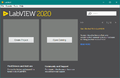 LabVIEW 2020
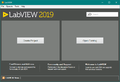 LabVIEW 2019
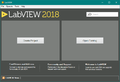 LabVIEW 2018
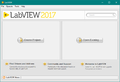 LabVIEW 2017
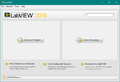 LabVIEW 2016
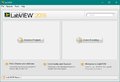 LabVIEW 2015
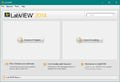 LabVIEW 2014
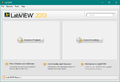 LabVIEW 2013
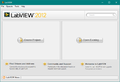 LabVIEW 2012
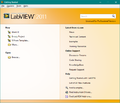 LabVIEW 2011
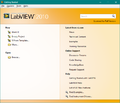 LabVIEW 2010
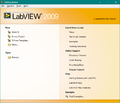 LabVIEW 2009
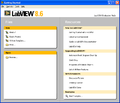 LabVIEW 8.6
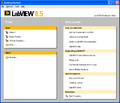 LabVIEW 8.5
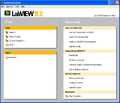 LabVIEW 8.2
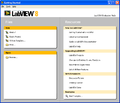 LabVIEW 8.0
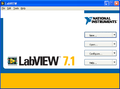 LabVIEW 7 Express
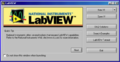 LabVIEW 6i
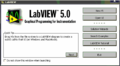 LabVIEW 5.0


