
Getting Started Window: Difference between revisions
Finished page |
|||
| Line 64: | Line 64: | ||
== See Also == | == See Also == | ||
* [[LabVIEW configuration file/Getting Started Window|LabVIEW Configuration File Keys for the Getting Started Window]] | |||
* [[Project Template]]s | * [[Project Template]]s | ||
* [[LabVIEW Project]]s | * [[LabVIEW Project]]s | ||
Revision as of 16:13, 7 June 2020
The Getting Started Window provides help when getting started. It provided links to help and online resources as well as recently used Project Templates and files.
Main Components

- List of Recently used Project Templates. Clicking the Create Project button opens the Project Template dialog box.
- List of Recently opened Projects and VIs. Clicking Open Existing but opens a file dialog to open any of the LabVIEW File Extensions.
- Search for terms in the local help file or on NI.com with internet connection.
- Tips and links to other resources
- Links to NI Tools Netowrk and the NI Fourms.
- Menu bar
Previous Versions
-
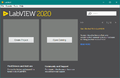 LabVIEW 2020
 -
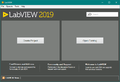 LabVIEW 2019
 -
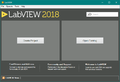 LabVIEW 2018
 -
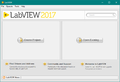 LabVIEW 2017
 -
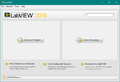 LabVIEW 2016
 -
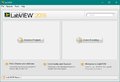 LabVIEW 2015
 -
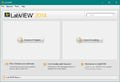 LabVIEW 2014
 -
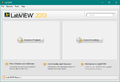 LabVIEW 2013
 -
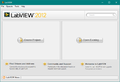 LabVIEW 2012
 -
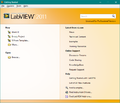 LabVIEW 2011
 -
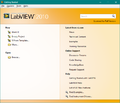 LabVIEW 2010
 -
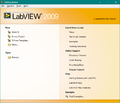 LabVIEW 2009
 -
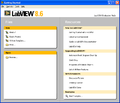 LabVIEW 8.6
 -
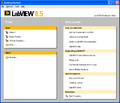 LabVIEW 8.5
 -
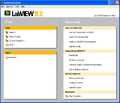 LabVIEW 8.2
 -
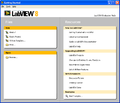 LabVIEW 8.0
 -
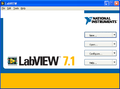 LabVIEW 7 Express
 -
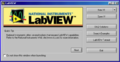 LabVIEW 6i
 -
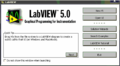 LabVIEW 5.0
History
 |
History information is needed. What changes have occurred over previous versions? |
| Version | Change(s) |
|---|---|

|
In LabVIEW 2020 the Recent Project Template list and the recent files list was compressed and a Tips section was added. The RSS feed was removed. |

|
In LabVIEW 2018 the Getting Started Window theme was changed. |

|
In LabVIEW 2017 the LabVIEW logo was changed. |

|
In LabVIEW 2012 Project Templates were added and the Getting Started Window made a section for them. There was a theme change and this was the first time the Getting Started Window was made resizable as well. A live RSS newsfeed was added to the bottom. |
|
|
In LabVIEW 2010 search was added. |
|
|
In LabVIEW 2009 the Getting Started Window theme was changed. |
|
|
LabVIEW 8 was the first iterations of the modern Getting Started Window. |
See Also
- LabVIEW Configuration File Keys for the Getting Started Window
- Project Templates
- LabVIEW Projects
- VIs
External Links
- "Eyes on VIs" - blog of Christina Rogers, creator of the LabVIEW 2012 Getting Started Window.