
Controls Palette/Express: Difference between revisions
Started page |
m Add categories |
||
| Line 59: | Line 59: | ||
[[Category:Programming Elements]] | [[Category:Programming Elements]] | ||
[[Category:Controls Palette]] | |||
[[Category:Express Palette]] | |||
Revision as of 13:31, 15 May 2020
| Object information | |
|---|---|
| Owning palette(s) | Controls Palette |
| Type | Palette |
| Requires | Basic Development Environment |
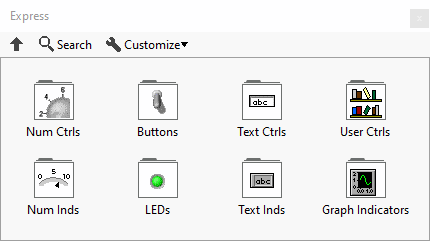
The Express controls are just a different arrangement of the Modern Controls for use in Express VIs.
Subpalettes

|
Num Ctrls |

|
Buttons |

|
Text Ctrls |

|
User Ctrls |

|
Num Inds |

|
LEDs |

|
Text Inds |

|
Graph Indicators |
History
| Version | Change(s) |
|---|---|

|
LabVIEW 7 Express is the first version with the Express palette. |