| VI Server Property Information
|
| Property ID
|
311C4C04
|
| Scope
|
Basic Development Environment
|
| Data Name
|
PipeWidth
|
| Short Name*
|
PipeRadius
|
| Long Name*
|
Pipe Radius
|
| * Displayed here in English. Short and Long names appear in the language of the LabVIEW IDE.
|
| Owning Class ID
|
130
|
| Owning Class Name
|
MultiSegmentPipe Class
|
| Data Type
|
U32 data type

|
| Property Node
|
|
| Available in Real-Time Operating System | Yes |
| Available in Run-Time Engine | Yes |
| Loads the block diagram into memory | No |
| Loads the front panel into memory | No |
| Need to authenticate before use | No |
| Permissions | Read/Write |
| Remote access allowed | Yes |
| Settable when the VI is running | Yes |
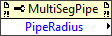
Gets or sets the radius of the pipe segments in a pipe network. All pipe segments in a pipe network have the same radius.
The pipe radius is the distance, in pixels, between the center of a pipe segment to the edge of the pipe segment. The maximum pipe radius is one pixel less than the radius of the narrowest flange. The radius of a flange is equal to the pipe radius plus the flange width. The minimum pipe radius is five pixels. LabVIEW returns an error if you specify a pipe radius greater than the maximum or less than the minimum pipe radius.
The following illustration shows the pipe radius.
<img src="loc_fp_pipe_radius.gif">
You also can set the pipe radius interactively.
Uses
History
| Version
|
Change(s)
|

|
More info to come.
|
See Also
External Links


